AI Infrastructure for AEC

AI-Supported
Revit Workflow

It knows how you draw, flags what's missing, and clears the busywork —
so you get the time back to go win the next project.

Pays for itself in about one billable hour a month · From $125/month · No credit card required

Available on AWS Marketplace and as a Claude Connector

See Banana Chat select marked-up elements, generate a revision, tag every cloud, and copy the transmittal list — all in Revit. More demos →

In the web dashboard

Where your firm's standards, library, and governance live — feeding every Revit session.

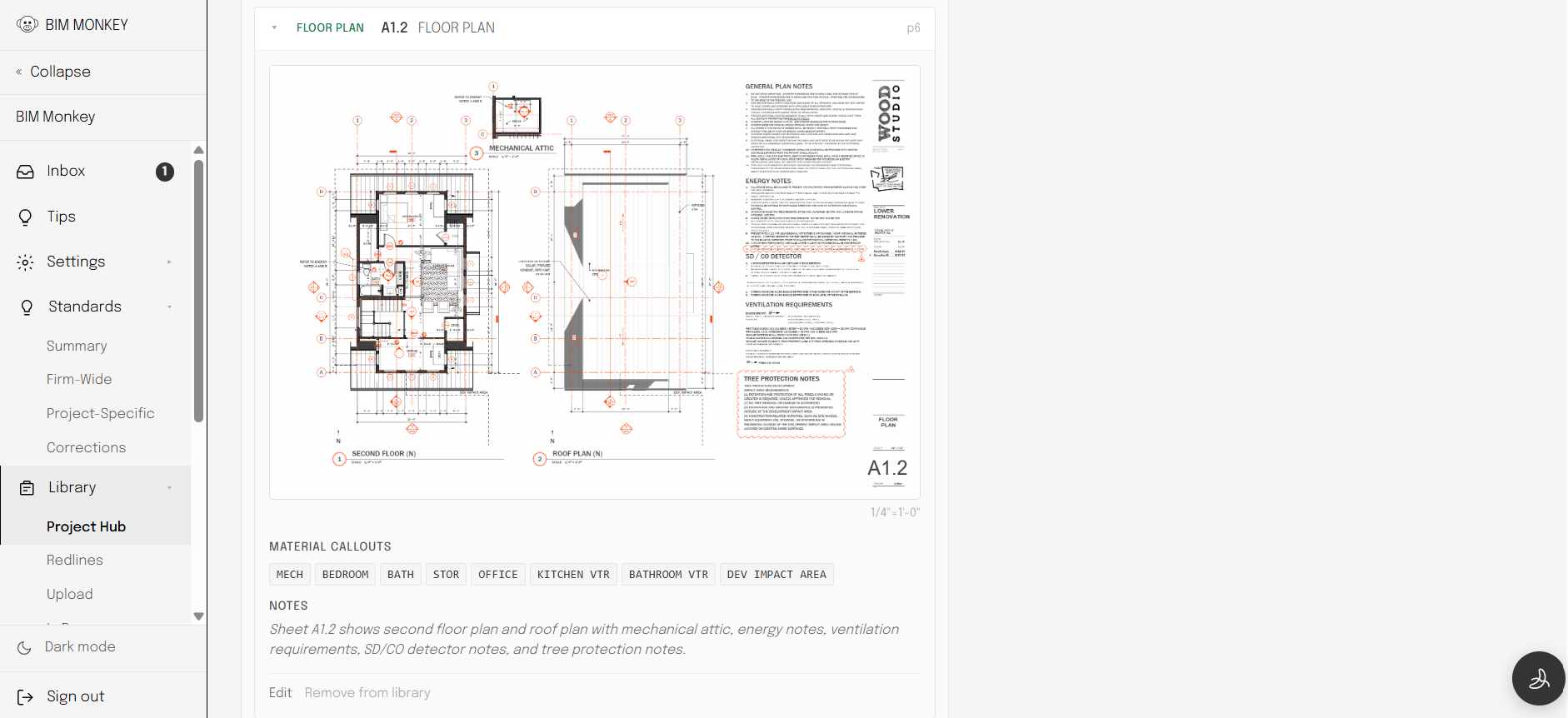
BIM Monkey web app — an uploaded permit sheet analyzed with extracted material callouts and sheet notes
Project library. Every uploaded permit sheet is analyzed — callouts, notes, and standards extracted and searchable.
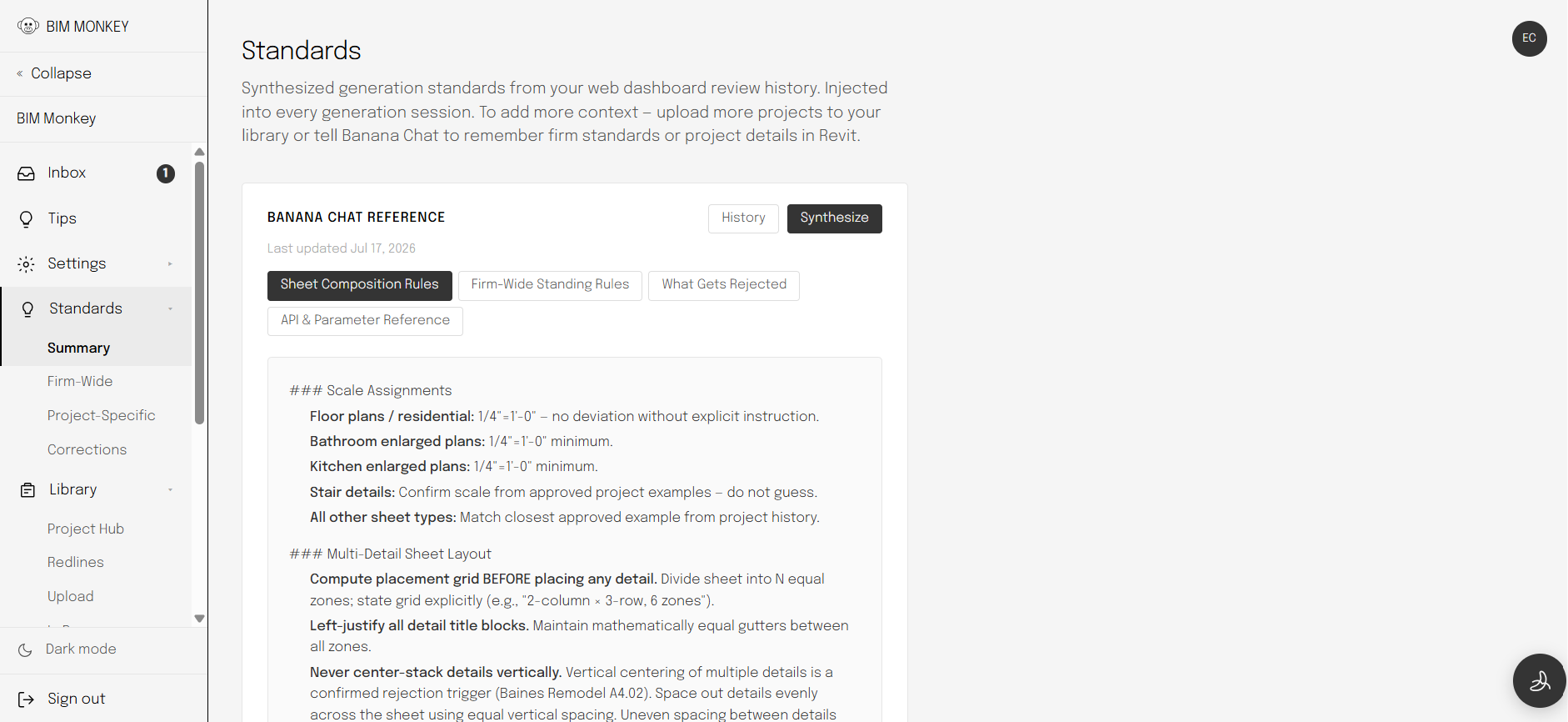
BIM Monkey web app — firm standards synthesized from review history
Firm standards. Drawing rules synthesized from your review history, loaded into every generation session.
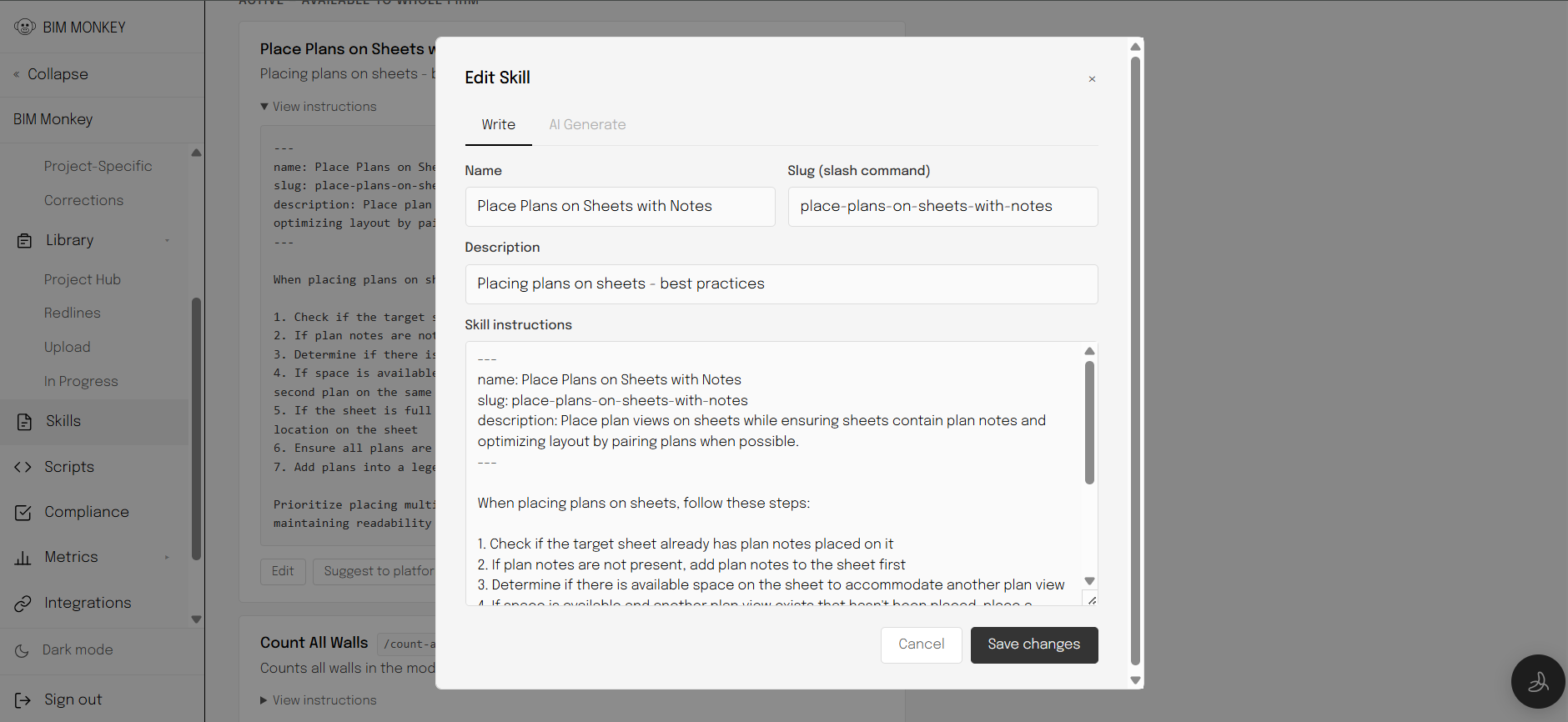
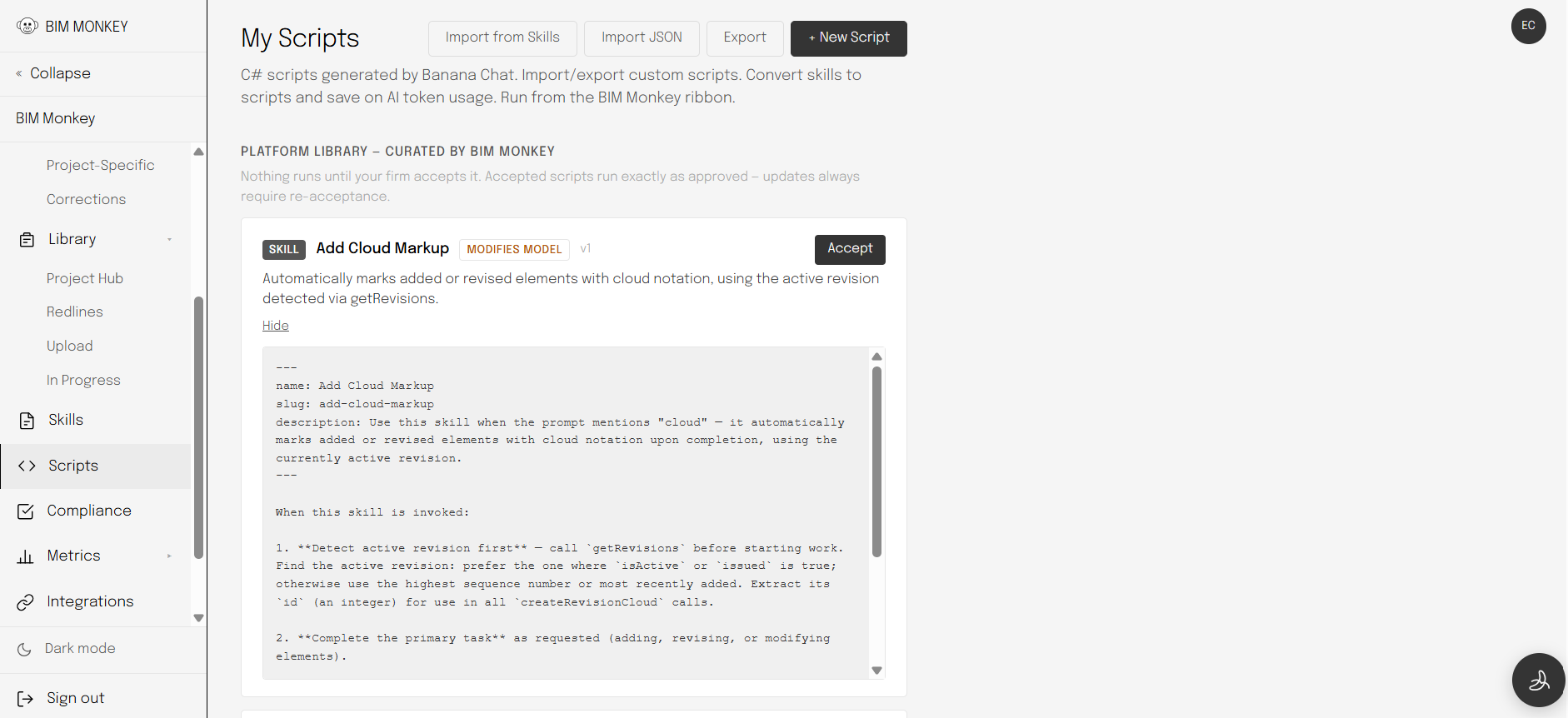
BIM Monkey web app — Platform Library of curated skills and scripts with firm acceptance controls
Platform Library. Curated skills (AI-powered) and scripts (no AI tokens required), under AI Governance — nothing runs until your firm accepts it.
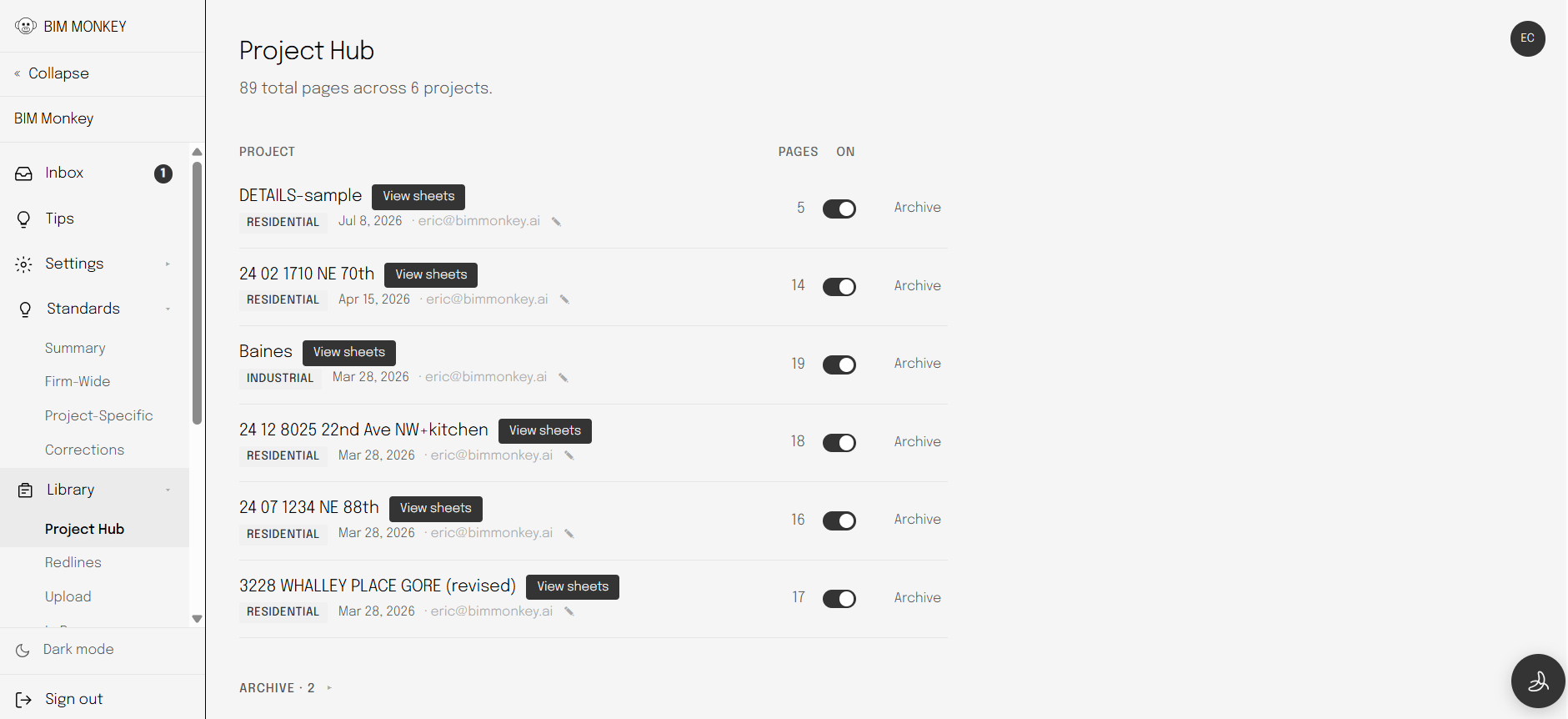
BIM Monkey web app — Project Hub listing projects and sheet counts
Project Hub. Your firm's projects and sheets in one place, feeding context to every session.

How it works

01

Install the plugin

Run the installer. It detects your Revit version and sets up Claude Code and Banana Chat automatically. Takes about ten minutes.

02

Upload your firm's CD sets

Drop in permit-ready PDFs. BIM Monkey analyzes every page — sheet organization, detail types, annotation standards — and builds a private reference library specific to your firm.

03

Talk to it in Revit

"Add all floor plan views to the A2 series." "Flag windows that need tempered glazing." "Build the cover sheet." Banana Chat runs the commands directly in your open model.

04

Correct the output

Every correction your team makes becomes a durable rule — applied automatically to every future project. The more you use it, the more it drafts like your firm.

A generic AI knows Revit.
BIM Monkey knows how your firm draws.

And if you don't like what it did — undo it.

How it learns

Intelligence that compounds.

Every session widens the gap between BIM Monkey and any assistant that hasn't read your firm's permit sets.

01

Firm standards, built in

Learned from your firm's own permit sets — not a two-week onboarding engagement, not configuration screens. Each correction becomes a durable rule applied to every future project: line weights, callout positions, dimension styles. Only the licensed architect reviewing their own firm's output writes to the training loop.

02

Firm-wide and project-specific

Set conventions at the firm level or scope them to a single project. BIM Monkey knows the difference and applies the right rules in the right context.

03

Skills your team can share

Package any workflow into a reusable skill. One architect writes the permit-set routine; the whole team runs it with a single command. Custom scripts let you go further — write C# against the Revit API on the fly, directly from Banana Chat.

Capabilities

What BIM Monkey can do.

Code checks Verify occupancy, egress, and accessible route compliance against your model — without leaving Revit.
Firm standards Approve, edit, or deny AI output. Every correction makes the next generation more accurate for your firm.
Redline reviews Upload a marked-up PDF. BIM Monkey reads each annotation, maps it to the right element in your model, and applies the correction directly in Revit.
Model memory BIM Monkey remembers your project context across sessions — no re-explaining every time.
Sheet & viewport automation Create sheets, place views, set viewport labels, fix offsets — across the whole set at once.
Custom skills & live scripting Save any workflow as a named command your whole team can reuse. When no built-in method covers what you need, Banana Chat writes and executes Revit API code against your live model.
Drawing audits Catch empty sheets, missing views, unlabeled rooms, and windows requiring tempered glazing before the submittal.
Dimension placement String dimensions along walls, appliance bays, and openings. Reads your firm's standard spacing rules.
Site data Pull live zoning district, setbacks, height limits, and FAR by address. Know your envelope before you place a wall.
Vicinity maps Auto-generate OpenStreetMap site context maps and place them directly on your cover sheet.

Who we build for

A quarter of America's 19,000 architecture firms are one person.
Enterprise software wasn't built for them. BIM Monkey is.

Source: AIA Firm Survey

Most AI tools run on shared APIs.
BIM Monkey runs Claude in your cloud.

Private AI on the Enterprise plan →

Ready to try it on a real project?

30-day free trial. One recovered billable hour a month covers it. Your first two hours decide it.

Get started → Download plugin